Skip to content
User Guide

iPhone

The Formasync Trainer iPhone app gives you the full picture — plan programs, train with rich detail, and track your progress over time.

Step 01

Sign In

  • Sign in with Apple — no new password to remember.
  • Your programs, workouts, and progress sync across your iPhone, Apple Watch, and the web.
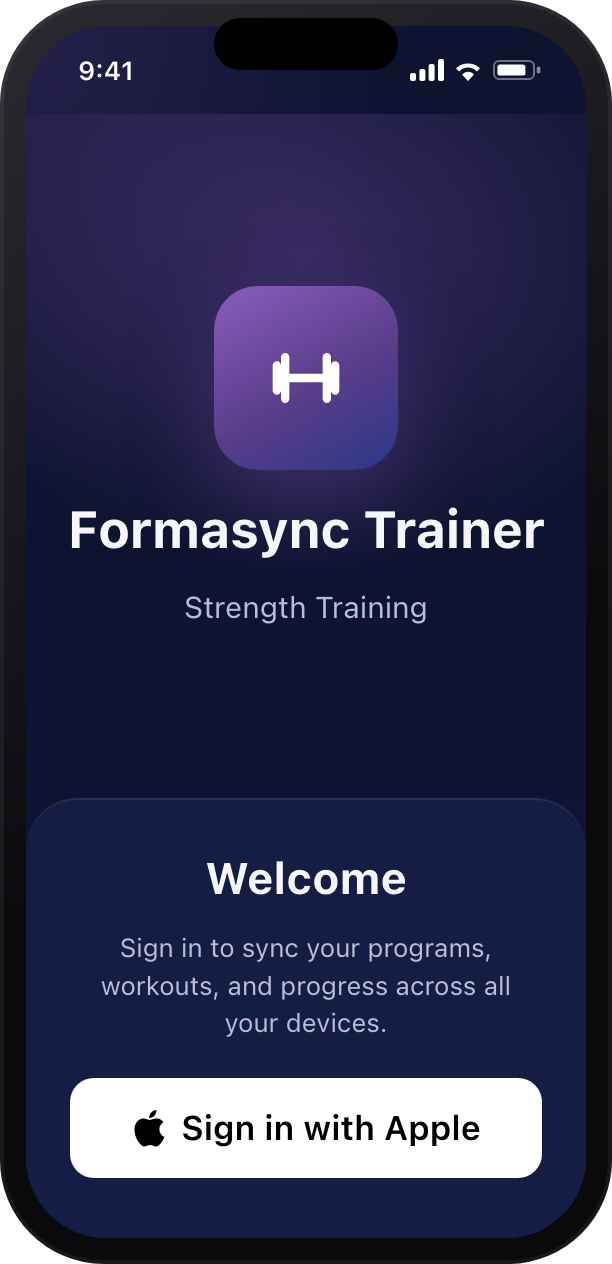
Formasync Trainer iPhone sign-in screen
Step 02

Your Home Base

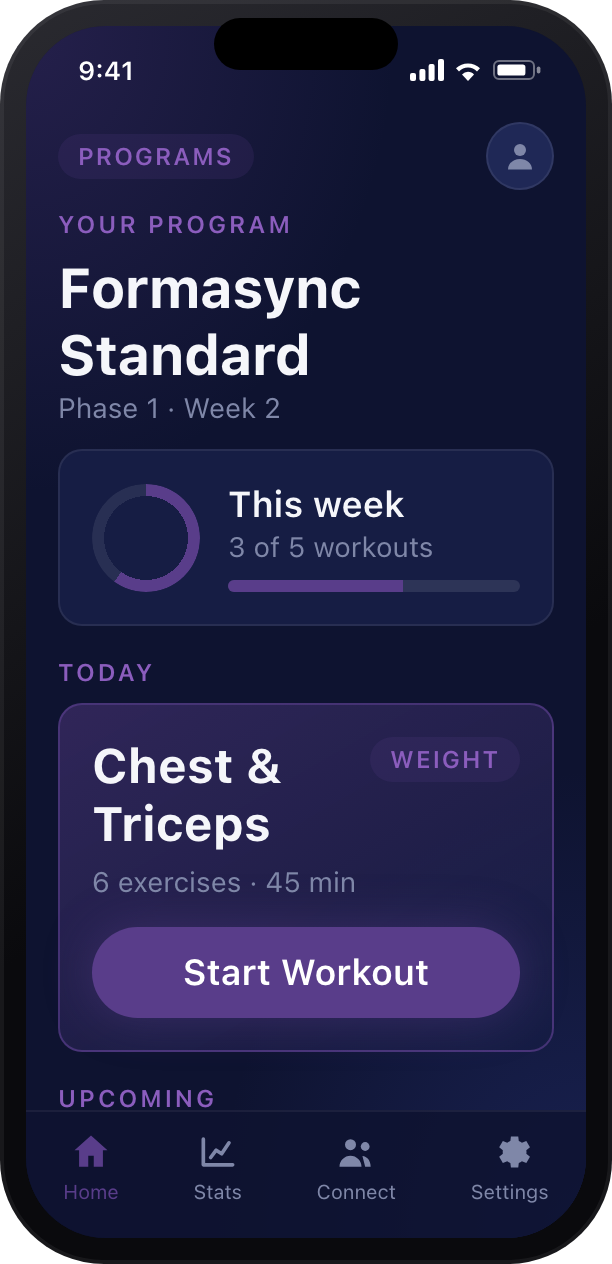
  • See your current program, the phase and week you're on, and this week's progress at a glance.
  • Today's workout is ready to start with a single tap.
  • Browse what's upcoming and jump into any session.
  • Tap Programs to switch programs whenever you like.
Formasync Trainer iPhone home screen
Step 03

Review Your Workout

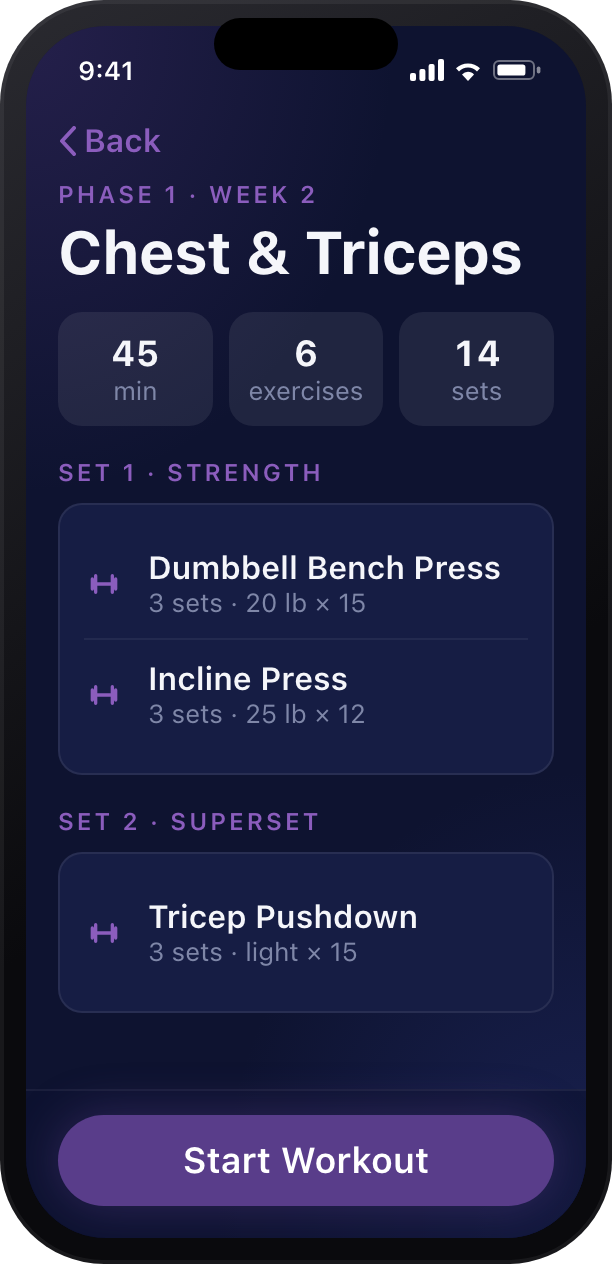
  • Before you begin, see the whole workout — duration, exercises, and total sets.
  • Sets and supersets are grouped so you know exactly how it flows.
  • Each exercise shows the target weight and reps.
  • Tap Start Workout when you're ready.
Formasync Trainer iPhone workout detail screen
Step 04

Train

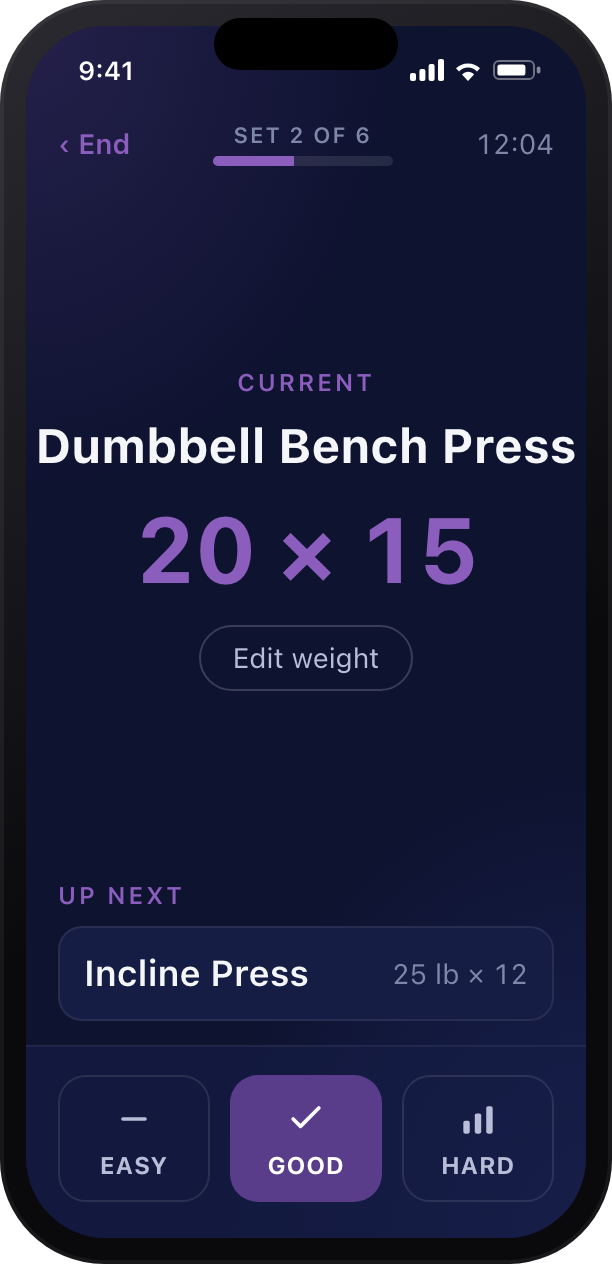
  • The current exercise is big and clear, with your set progress and elapsed time up top.
  • An Up Next card keeps you one step ahead.
  • Rate each set — Easy, Good, or Hard — to advance and fine-tune future workouts.
Formasync Trainer iPhone active workout screen
Step 05

Adjust a Set

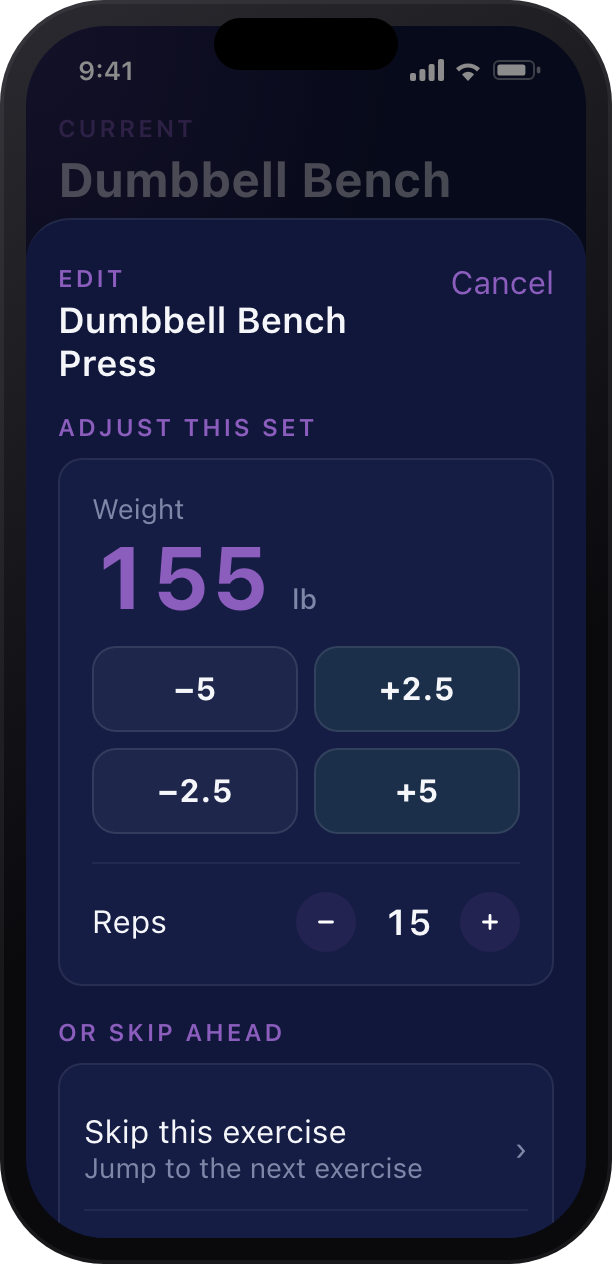
  • Tap Edit weight to fine-tune the current set.
  • Nudge the weight with quick chips and set your reps with the stepper.
  • Need to change plans? Skip the exercise or the set right from here.
  • Your changes are saved and shape what comes next.
Formasync Trainer iPhone edit set sheet
Step 06

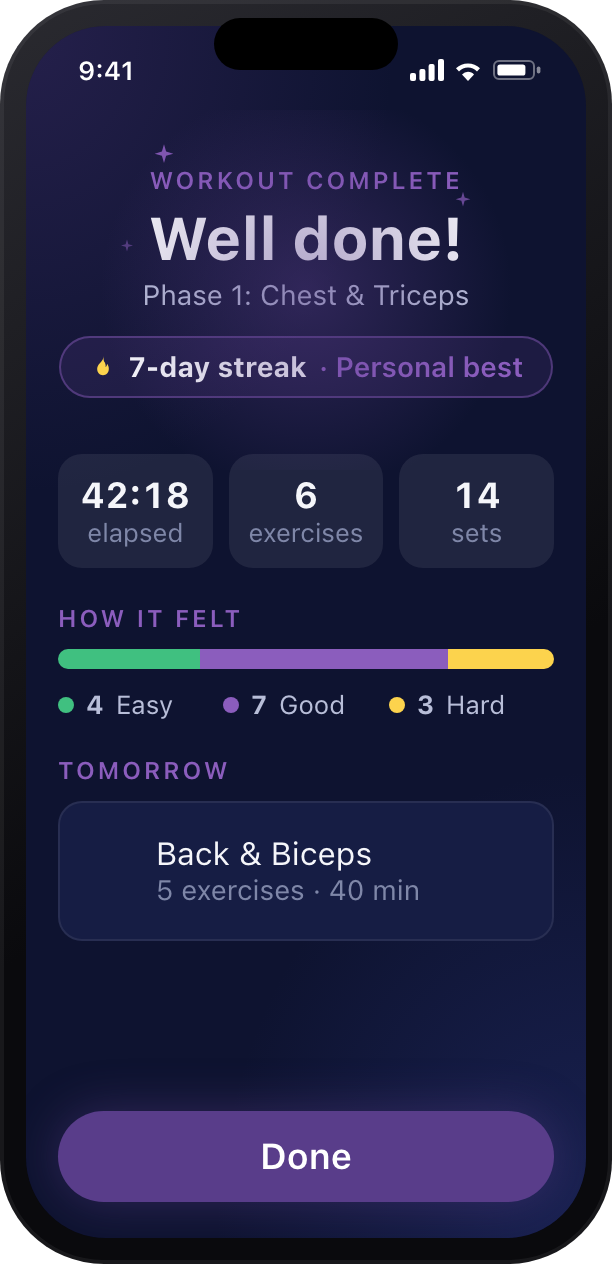
Workout Complete

  • Wrap up with a celebration summary of your session.
  • See elapsed time, exercises, and sets, plus your streak and any personal bests.
  • The "how it felt" breakdown reflects the ratings you gave.
  • A peek at tomorrow keeps you set up for what's next.
Formasync Trainer iPhone workout complete screen
Step 07

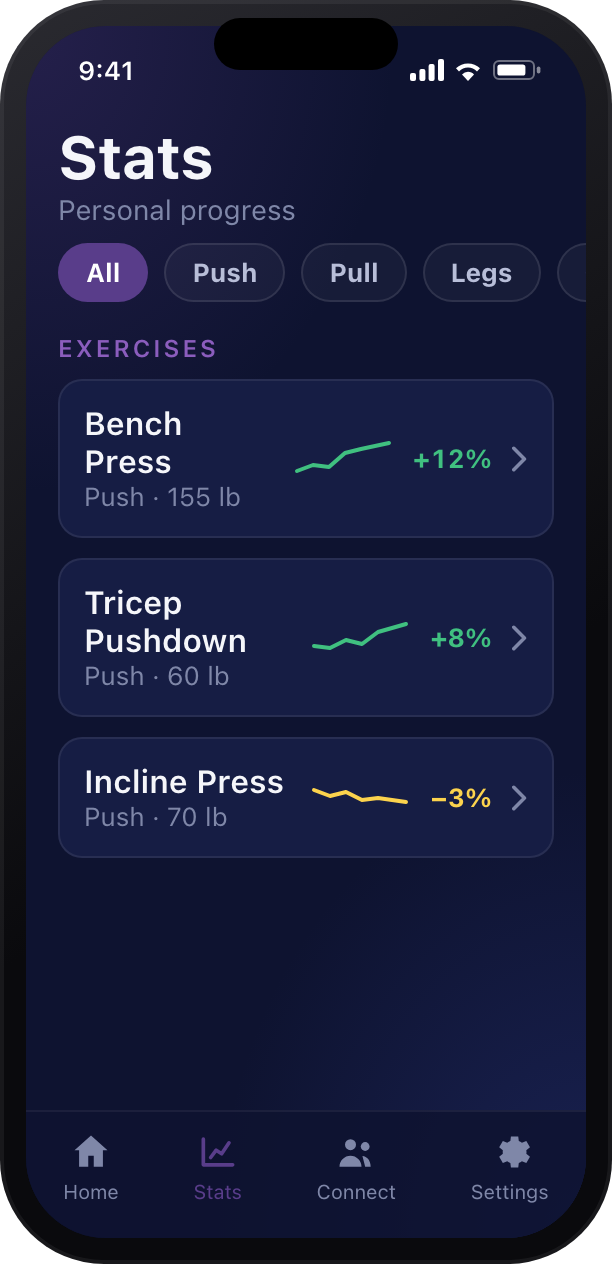
Track Your Progress

  • The Stats tab shows your trend for every exercise at a glance.
  • Filter by movement — Push, Pull, Legs, or Core.
  • Sparklines and percentages make it easy to see what's climbing.
  • Tap any exercise to dig into its full history and personal bests.
Formasync Trainer iPhone stats screen
Step 08

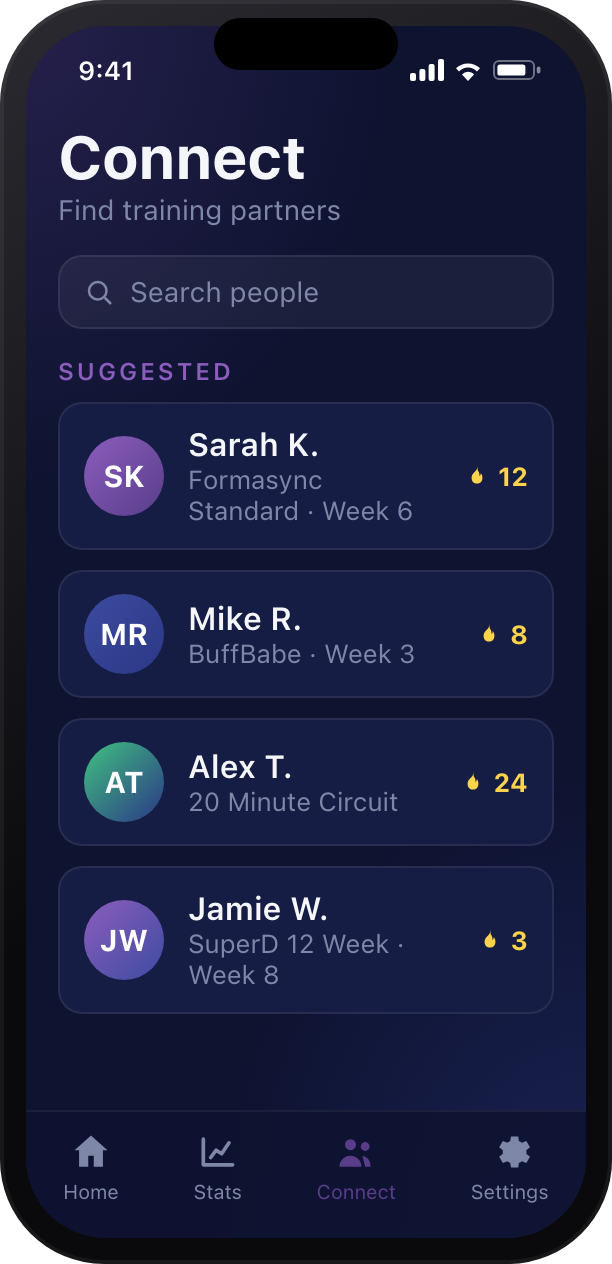
Connect

  • Find training partners and follow friends on the same journey.
  • See what programs people are running and their streaks.
  • Connect is fully opt-in — you control exactly what you share and with whom.
Formasync Trainer iPhone Connect screen
Step 09

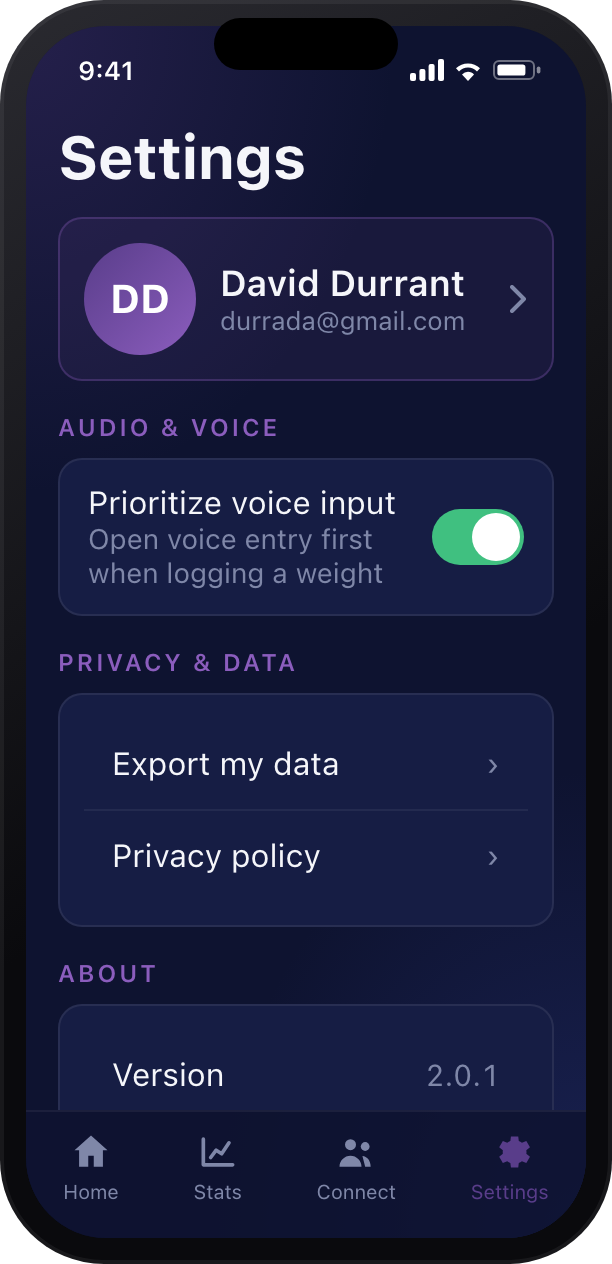
Settings

  • Manage your account and profile from one place.
  • Turn on Prioritize voice input to log weights hands-free.
  • Control your privacy, export your data, and review the details under About.
Formasync Trainer iPhone settings screen